Automated Outbound Growth Machine · Lesson 5 · Video
Your Automated Outbound Machine Part 2
Lesson resources
▸ Show transcript▾ Transcript
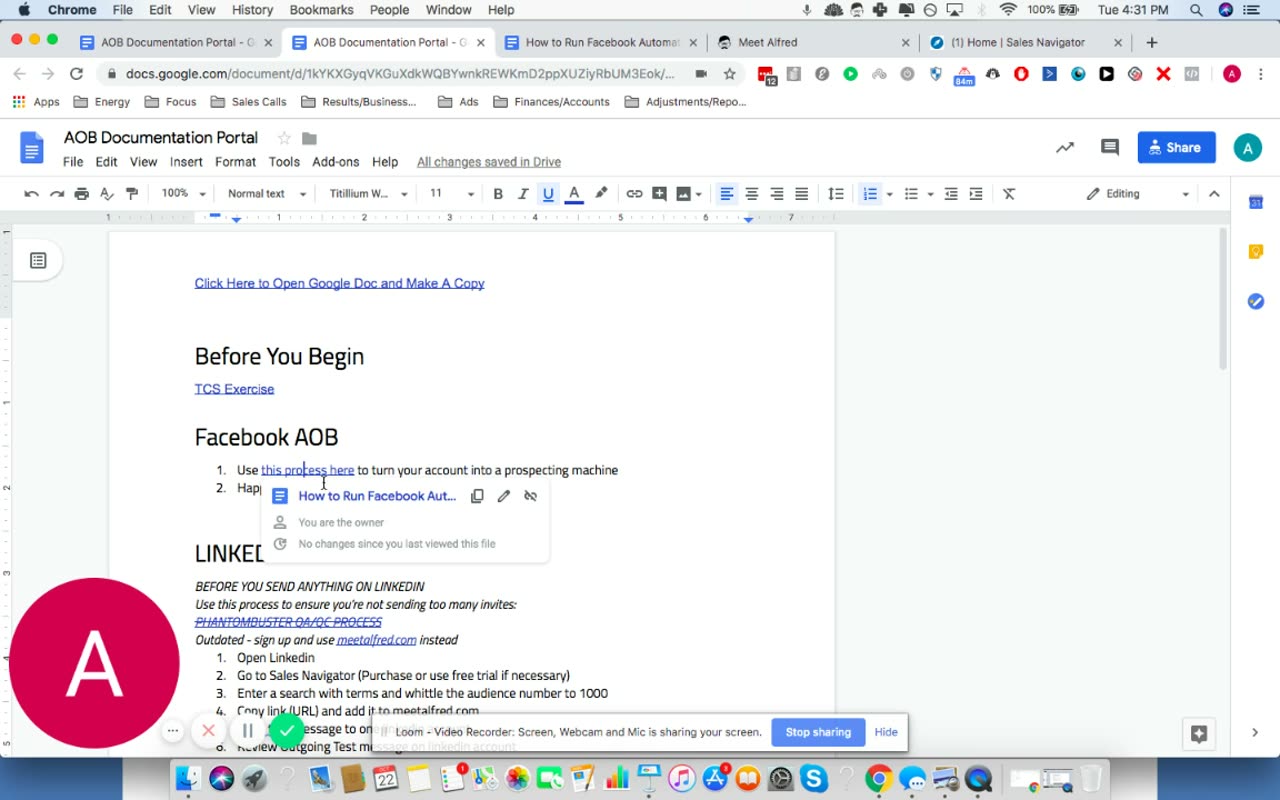
Okay, so you've done your TCS, now we're going to go into the Facebook AOB. And here we go. So first you're going to optimize your Facebook profile account. You've probably done that through branding for growth, but if you haven't, just here's a couple of quick tips and then go to branding for growth after to make sure it's done. Because without it, you're not going to get as
great results as you should. So quick tips, use a clear and memorable headshot, use a cover photo with social proof. So influencers, logos, speaking shots, team shots, if you don't have any of those, pictures of like the city's skyline are really great. And then make sure you post industry relevant content so when people see you and your profile, like they know you actually deliver value to people,
that's why they're going to want to add you, right? And so next you want to go join relevant Facebook groups with your potential customers and you're going to put those groups into a Google sheet with their name and URL so that way you have them handy from now on. So you're going to get in there, the hard part, I used to just tell people like go and
start adding people and just get the process started, but who you target is really, really important. I would rather have you shoot out a hundred messages than a thousand. As long as those hundred are in your ideal customer profile, like these are your dream clients. These are the people that you really care about and you want them to succeed and you know exactly how to do so.
So when you're searching for your groups, go open your avatar worksheet, go look at all the clients you have, start talking to them, get in the zone, ask them what groups they're in and start going to those groups and jumping into those groups. Some of them will ask you to fill out information before you get in and some of them will let you just join. Once you
do that, kind of go into this justice groups and then start going through the groups and seeing what kind of people are in there. Okay, this is really hard to do because Facebook has limited the number of people you can kind of see and they only show you like really relevant people or people that their algorithm thinks you should meet. So what I suggest doing is just
having a list of really common names. Sam, Matt, Brandon, Alex, what have you and then search for those in the search bar in the group. Okay, and that's how you're going to see who's in there. And so when you join those groups, go ahead and post this into those groups, have a little bit of social proof in there. So this is actually Matt's message that he sends
out. He's looking to call it connect with digital agency owners. He doesn't call it branding agencies or Pepsi and Disney, he's had a great, you know, cool journey that he's had and then just say the truth, like, problem is your face profiles full, friends only care about like, and then you're looking to add people who care more about what your ideal customers would care about. Cool. Then
just say, feel free to send me a friend request, I'll probably reach out as well. This preps them and, you know, they'll know that, okay, this guy's going to eventually send something out and then, bam, in one day you'll have groups to prospect. This has been amazing. The amount of people I've met that I love talking to, like friends from Facebook outbound has been phenomenal. People that
I can pay for anything, if I need new talent, if I need help on something advice, just an ear to listen to, like, they're there and then a lot of people buy too, right? So it's really cool that you can use the internet in this day and age to be able to generate those kinds of relationships that end up in you and your business doing better. And
so that's the process for Facebook. If you're going to add sources to a VA or you just want to, you know, have all this stuff in one place, I recommend, go ahead and make a copy of this sheet. It's in the resources. Just put the username login here, have the search groups, put, like, their list here in the Facebook group URLs and then really dig and use
your avatar sheet because you'll be surprised where you find your beautiful clients, like, maybe you'll find really weird things where a lot of them love gardening and you would never have expected, you know, billion dollar CEOs who love gardening, but these are things that pop up, there's patterns in one's case. So anyways, once you build up your ammo and you have all that in there, you're going
to start going in and adding about 20 people a day and then log once you've run it in your scorecard. And then every other Friday, make sure you do this and this is actually a step four. Because if you add too many people, Facebook will flag you. And so I don't want that and your account can advance, so like, go ahead and make sure you do this.
20 is actually really low, we've done a purpose of your account, doesn't get banned. So it'll be fine. But if your VA goes crazy, like, make sure they stay under 20, cool. And then just remove the pending requests. It does not happen. Your account will not get banned when you use this unless you have, like, over a couple thousand people that are, you know, pending a request.
But I just want to make sure that never happens. So let's just not build up the debt and you not know when this is going to happen. Let's just make sure it never happens ever, right? So use this document right here to remove the pending request and it's a really simple stuff as a process. And then double check that and just mark X in your scorecard. So
have a section in your scorecard to add people and have this extra twice a month to remove people. Cool. Okay. So every morning you're going to check Facebook and see how many people added you. You're going to click on the accepted friend request. That's like a section. So you're going to go up here and click on this little friend thing. And then you're going to go to
the accepted friend request and then right click, open in a new tab and then click send message and then insert the message from your average script. Cool. And once you do this process five to 10 times and you can hire you to get it, check Facebook every day and send out the message. Don't automate it until you've done it yourself. I can't harp on this enough because
you're going to notice a lot of nuance in the process and you're going to be able to give them feedback when they ask questions. Cool. Cool. Once you're done with that, your Facebook will be on autopilot, reaching out to people, making connections for you, building those relationships so that way you can generate more sales. Cool. Cool. So that's the Facebook process. Next we're going to get into
the LinkedIn campaign process. So let's make sure that you understand kind of the tools of LinkedIn. So it's going to be sales navigator, which is LinkedIn's sales search function and then meet Alfred, which is a tool that's going to start reaching out to people. Cool. And again, the targeting is super important. So what we're going to do here is we're going to select groups of a thousand
to test, okay? And we want 3% conversion rate to a call. And so you're going to keep running tests again and again. In the beginning, I recommend doing a couple hundred to see what the reply rates are. And then you want to move up to a thousand. And I'm going to walk you through a way to start searching for people. So if you haven't done your customer
avatar yet, there's a customer avatar sheet we attached to the beginning of this course, go ahead and do that because it's so important here. If you don't do it, like you're just going to be wasting your time and frustrated that oh, LinkedIn isn't working. Or even worse, you're going to get customers that you don't actually like and you're going to hate your life. And I don't want
either of those outcomes for you. So please go ahead and do that. Once you have that, you're going to start filling things out. So LinkedIn, you can do a bunch of keywords in here. There's advanced search functions too. I recommend using not only the filters on here, but also the advanced search functions. You can actually say, and most people don't know this, so please look it up.
But there's just like Google, LinkedIn has like a subtract function. So you can say maybe you're going after like roofing companies. Now I'm not aware of roofing companies. So I don't know what the thing is, but you probably don't want to, you probably want to work with a roofing company and not a marketing agency roofing company, right? So you say minus agency. And that'll only bring up
people that don't have agency in their profile. And the way the search works is actually searches their entire profile. So you've got to be really, really specific in how you do it. So I'm going to give you an example of what we do. So we'll say branding agency, right? I'm going to say minus little service because we don't want to go to people that are full service,
right? Not strange. There we go. So now let's search. Cool. So here's a bunch of people. Now one big thing that I want you to do is click on VL filters, make sure that. Oh, by the way, you do have to purchase sales navigator. The first month is free. So just go ahead and sign up and use it and you'll start seeing results relatively quickly, but it's
expect to, you know, pay for it. It's really useful. It's coming from you clients. Like there's no reason not to. Okay. So what you want to do is go to current position. Maybe they got rid of that recently. Hey, we got a title. So you're going to do current, right? So now I want, let's say my idea of line is presidents, I love talking to presidents. These
companies can get it and they're level. So it's the presidents, right now it's going to go try out all the presidents and we're still 19,000. We want to get about 1000. So let's say and start funding it your geographic region. So most of our customers are from the United States Kingdom. So start with who your customers are already. Eventually we'll start noticing patterns on other places that
your customers are. So we'll leverage that company hand count. We like working with people that are one to 10 for this product, not for another product. We probably self-employed for the other product. It's about 13 out of four. So it's like, okay, maybe if we get rid of the United States, it'll come down to, oh, that didn't do it. But keep playing with this till you get
to 1000, okay? And that will be your test. And just make sure you write these down. The easiest way to just say the search right here, you can say test. Make sure you have the text on to make good test one, test O one, test O two, whatever. This is like, have this written down somewhere. It'll be really, really useful to be organized on the road because
they'll be able to find patterns and what you're searching. Cool. So go down to 1000 and you're going to take this URL and you're going to go to meet Alfred. And so meetofford.com is something that you sent out for. See if I can show you their home site. No, just take a strip. Yeah. But you're going to sign up. You're going to download their client, which looks
like this guy. And you're going to set up a campaign in there. And the way it works is it uses your computer as a and makes it look like there's a person on your computer going ahead and adding these people and sending them messages and following up. So essentially replaces what you would hire like a $3,000 to $5,000 a month outbound sales person to do. Cool. So
that's why when I'm saying like, Hey, pay for sales navigator, like it's only 80 bucks like go pay for it because you're replacing what exactly what a really expensive person would do. This I believe is 33 bucks a month. Cool. So go ahead and get it. What you're going to do is download that client, set everything up, log in on LinkedIn on there, and then you're going
to go ahead and say create campaign. Okay. And you're going to do create campaign from LinkedIn URL. And you can just paste the sales navigator URL here and let the amount of leads to 1000 in case it goes over just so you have a nice clean test. Oh, this is really annoying. My sensitivity on my track got super high. So it'll do that, but I call and
then you click next, um, LinkedIn views, LinkedIn tracks. That's why I wouldn't recommend that. I would recommend doing on the internet and, you know, just use the default old message. And that is, that was the old message from LinkedIn first started off. We've tried a bunch of messages and a connection message. So what this would do is like it'll go to that profile and add them and
send them a message. We used to send a message right when we connected, like before they added us, they would see a message and that worked well, but it got it kind of died over time because everybody started doing that. So now what we do is we add that here and then we add our message from our outbound, um, our outreach, I believe it's called the outreach
scripts. Yeah. So we add that here and so it's just like, I like my blank, whatever that Richard says. Um, and then we say next, cool, and name your campaign name of the same thing in the same search. Sometimes when you save a search, me and Alfred might not work. So that's why I recommend writing down the search terms. Let's go to one, one, a, and then
if I listen, you're done and boom, now LinkedIn will work every day. Now, the one thing that I would say is, okay, one thing is really tricky, like if it's green and you click that, it'll stop it. And if it's like, oh, sorry, that's actually the playbook. So it's not working right now, but when you click it, it'll start working and so just play with that. And
if you have any questions, like just chat with them, they're really, really helpful. Okay. What was I saying before that? Um, yeah, that's it. So you have to have your computer opener for this to work. It won't work if your computer is closed for a day. So make sure your computer is open on top of that. Go ahead and edit the daily limits. Don't exceed like 40
views. Don't exceed like 30 connection requests. Don't exceed 50 messages in a day. The actual limits are much higher, but LinkedIn is constantly clamping down on people, adding people too much because it can get pretty spammy. So I don't want you to have the same fate as that $1,000 a month SDR because why I even deal with it. Just keep it really low and start interacting with
people. This will be good enough to get you the calls. You actually need to do those two to five times. And that's how you set up LinkedIn. AOB. Cool. Let's see if it's going to be on this. Make sure you go to the average scripts. Oh, content. If you want to start dripping them with content, they don't add you back. I recommend going to buzzsumo.com and start
searching around. Start searching for free trial, start searching around for content in your industry. So agency mindset, for example, that's an interesting topic for what we want to discuss. And it'll show you the most shared posts on agency mindset. And you know, again, you got to get good with the search here. But you will get those articles. So I would just take those viral articles and write
a little something and post them in the fall for me to offer, which you can do if they don't respond to you. So there's good automation on there to set up. That's that. And yeah, there's a little bit of a retargeting bonus that I want to add that I hadn't added the last time. If you go to zapegrid.com, you can create a Facebook retargeting system. So if
you haven't done Facebook, don't worry about this for now. If you have done Facebook, like go ahead and connect your Google calendar to Facebook custom audiences, as well as your house about CRM, whichever one you're using or active campaign as a bunch of serums in there, whatever you're using, like connect it to it and then start retargeting those people with an ad. It can be as simple
as a book called us to start and then just ask someone on the Q&A calls, what you should be doing or posting the Facebook group to learn more about that. All right. Cool. Always go ahead and the Q&A calls, feel free to ask them to me your map or whoever, whatever mentor we have on there and then post in the Facebook group, like post in there and
ask questions and we're going to help you work through this so that way you're crushing it with both of these. Cheers.